Overview / Set Lists / Details
Details
Show Details for the Set lists.
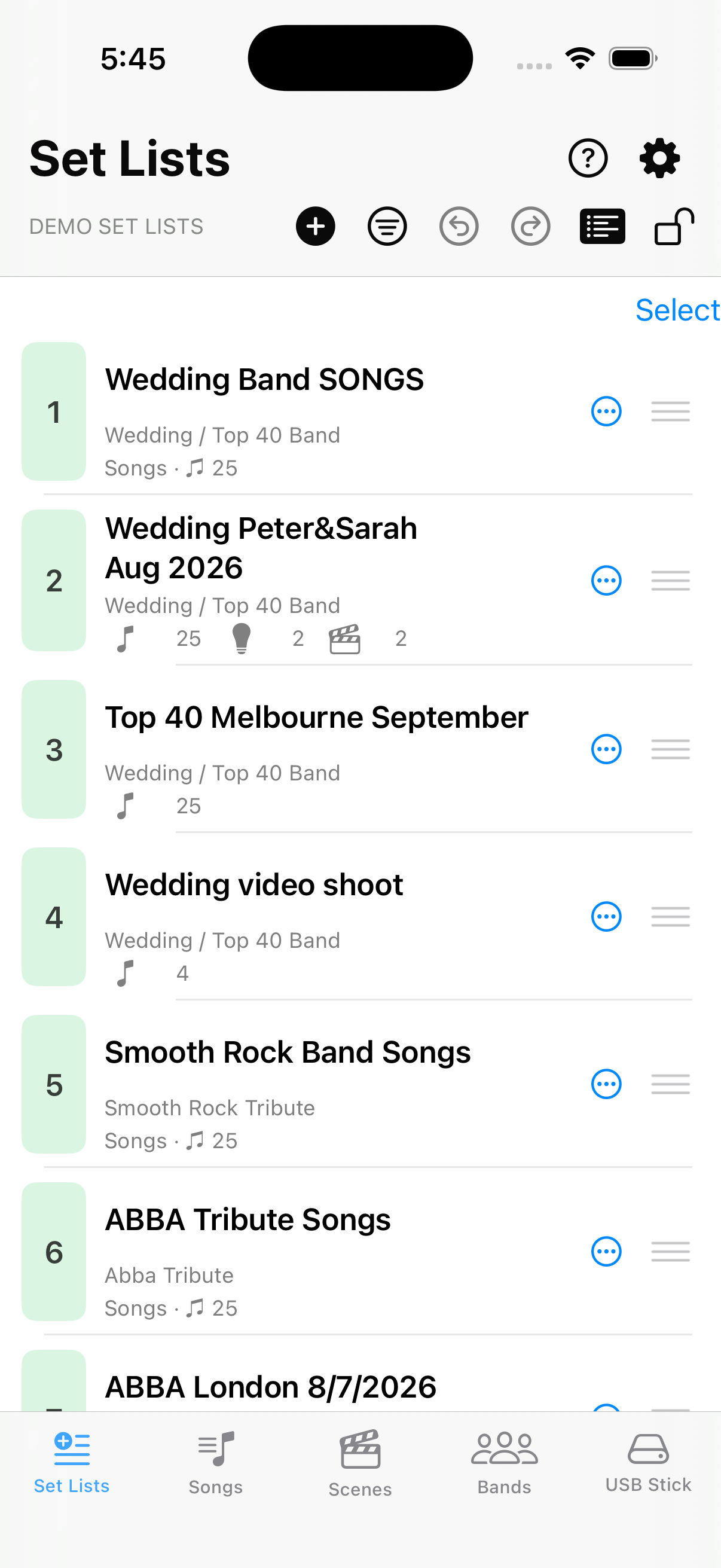
Turn on  Details on the Set Lists screen when you want a quick read on each list — band name, song count, cue count, and set count — without opening the editor.
With Details on, each row shows which band or project the set list belongs to (when you have configured bands in Bands and Settings). The  count is scenes in the list.
  and
and  appear when cues or automated sets apply (see Song Lists and Cues Detection and Automated Set Detection).
When the Details line begins with Songs, that set list is tagged as the band’s repertoire book — the master song list used for text import and matching (configure tags in Settings → Song Lists and Cues Detection; see Tags). When it begins with Cues, the list is a cue catalog — scenes for lights, pre-show, breaks, and other non-song slots (same settings section).